13LGAME Download
Install the official 13LGAME app for a faster, lighter way to play — built for both Android and iOS devices.
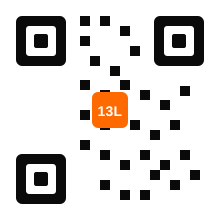
Scan The Code To Download
Point your phone's camera at the code to open the official download link directly — no need to type a URL by hand.
- Works with any standard camera QR scanner
- Links straight to the verified 13LGAME file
- No third-party app store required
Installing The 13LGAME APK
Because the APK is distributed directly rather than through the Play Store, Android requires one extra permission step before installation.
Download the APK file
Tap the Android download button above or scan the QR code to fetch the official install file.
Allow installs from unknown sources
Your phone will prompt you to enable this permission for your browser or file manager — this is expected for direct APK downloads.
Open the downloaded file
Find it in your notifications or Downloads folder and tap to begin installation.
Launch and log in
Open the new 13LGAME icon and sign in with your existing account, or register if you're new.
Installing On iPhone & iPad
iOS handles direct app distribution differently to Android, so the setup uses a guided web-install flow instead of a standalone APK file.
Open the iOS download link
Tap the iOS download button above from Safari — this step must be completed in Safari for the install profile to work correctly.
Trust the installation profile
Follow the on-screen prompt, then confirm under Settings > General > VPN & Device Management if required.
Wait for the icon to appear
The 13LGAME icon will appear on your home screen once installation finishes.
Open and sign in
Launch the app and log in with your 13LGAME account details.
Requirements & Safety Tips
Lightweight Install
The app is built to stay well under 100MB, so it installs quickly even on limited storage.
Verified Source Only
Always download from this site or the official domain — never from third-party APK repositories.
Check The Domain First
Confirm you're on the genuine 13LGAME site before downloading. See our Official Website guide.
Stable Connection Recommended
A steady Wi-Fi connection avoids interrupted downloads and failed installs.
Play Instantly In Your Browser
No download required — the full platform runs smoothly in any modern mobile or desktop browser.
Why 13LGAME Isn't On The Standard App Stores
Major app stores apply broad content policies that make it difficult for real-money gaming platforms to distribute apps through them directly, regardless of how the platform itself is run. That's why 13LGAME — like most platforms in this category — distributes its Android app as a direct APK download and its iOS app through a guided installation profile, rather than through the Play Store or App Store.
This is a completely standard distribution method used across the industry, but it does mean the responsibility for downloading from a trustworthy source shifts to the player. That's exactly why this page exists: to make sure the file you install actually comes from 13LGAME, and not from a copycat site hosting a modified version.
What To Expect The First Time You Open The App
The first launch takes you straight to the login screen, where your existing 13LGAME account — wallet, VIP tier and history included — works immediately. If you're brand new to the platform, you can register directly from the app using the same short process described on our Register page.
From there, the app will occasionally prompt you about optional notifications for bonus credits and VIP tier changes. We'd recommend enabling them, since they're currently the fastest way to know the moment a reward lands in your wallet, but they're entirely optional and can be adjusted from your device settings at any time.
Staying On The Latest Version
Because the app isn't distributed through an automatic-update app store, new versions are released periodically on this Download page. We recommend checking back every few weeks, particularly around major feature releases or when a new game category is added to the platform. The app itself will also display an in-app notice when a meaningful update becomes available, so you're never left more than a version or two behind.
APK Install vs Browser: Choosing What's Right For You
Not every player needs the app, and that's a genuinely fine choice. If you play occasionally, from a device you share with others, or simply prefer not to install extra software, the browser version of 13LGAME gives you the exact same games, wallet and VIP tracking without taking up any storage at all. The APK exists for players who've decided 13LGAME is part of their regular routine and want the fastest, most persistent way back into it.
There's no wrong answer here, and switching between the two costs you nothing — your account, balance and history stay identical either way. Some players use the browser on a work computer during the day and the app on their phone in the evening, moving between the two without a second thought.
Troubleshooting A Failed Install
Occasionally an installation doesn't complete on the first attempt, usually for one of a few common reasons: insufficient storage space, an interrupted download from a weak connection, or — on Android — the "Unknown Sources" permission not being fully enabled before the install began. Restarting the download after confirming available storage and a stable connection resolves the vast majority of failed installs. If the app installs but won't open, a device restart is worth trying before reaching out to support, since it clears out any conflicting background processes from the interrupted attempt.
Which Devices Support The App
The Android APK supports the vast majority of devices running a reasonably current version of Android, including most mid-range and budget phones released in the last several years — you don't need a flagship device for the app to run smoothly. On iOS, the guided installation profile supports current and recent iPhone and iPad software versions. If your device is on the older side, the browser version remains a fully capable fallback that requires no installation at all.
If you're ever unsure whether your specific device is supported, the safest test is simply attempting the download — the installation process will indicate clearly if your device doesn't meet the minimum requirements, rather than installing a broken version.
Before You Tap Download
Take a moment to confirm you arrived at this page through the official 13LGAME domain rather than a forwarded link — the same verification habit covered in depth on our Official Website page applies just as much here as it does to logging in. A genuine download link only ever comes from this site or our verified social channels, never from an unsolicited message promising a special or early-access version of the app.
Once you're confident you're in the right place, installation itself — covered step by step above — typically takes just a few minutes from tap to first login.
Why We Keep The Install Small
It would be easy to bundle every asset, every game preview, and every promotional graphic directly into the app to make the initial browsing experience feel richer. We've deliberately avoided that trade-off. Keeping the install itself lean — well under 100MB — means the app installs quickly even on a slow connection or a device with limited free space, which matters more to more players than a marginally richer first-open experience. Additional game assets load on demand as you actually open each category, rather than being downloaded up front whether you use them or not.
This same philosophy extends to updates: incremental improvements are shipped as smaller, more frequent updates rather than occasional large ones, so you're never stuck waiting through an enormous download just to get a minor fix.
No Rush
If you're not quite ready to install anything yet, that's completely fine — everything on 13LGAME is available through your mobile or desktop browser right now, with the app simply waiting here for whenever you decide the extra speed and notifications are worth the two-minute setup. There's no pressure and no downside either way.